If you own your airplane and want to know what your engine looks like inside — without guessing, and without waiting for the next annual to find out — this guide is the whole journey from a fresh install to a record you can trust and compare year over year. You do not need to be a mechanic. Jug Scope walks you through the same professional inspection a shop would run, so the set you capture is one an A&P or an engine analyst can actually use.
Here is the payoff, plainly: peace of mind you can hold. A complete borescope record, captured to a standard and kept over time, is how a burning valve or barrel wear gets caught early — while it is a maintenance item instead of an expensive surprise.
For owners — Everything in this section is written for you: one airplane (or a few), your own inspections, your own records. The companion guide for maintenance shops is §8; you should not need it.
7.1 Set up your airplane
Your journey starts by telling Jug Scope about your aircraft once, so every inspection you ever run is sized and labeled correctly from the first tap.
- Sign in with Apple. This backs up your inspections, syncs them across your devices, and is what lets you share a set with your shop later. What Apple shares (and what it never sees — including your password) is covered in §2, Account & Sign-In.
- Add your aircraft. Enter the tail number, make and model, engine, and cylinder count. The cylinder count is what tells the app how many cylinders to expect — typically four or six on a piston GA engine — so you never have to set that per inspection.
Tip — Get the engine and cylinder count right when you add the aircraft. Those details flow into every inspection and into the year-over-year comparison, so a minute of care here pays off every time you inspect.
7.2 Connect your borescope
Before your first inspection, get your borescope talking to your iPhone or iPad and confirm you have a live picture on screen. Which scope to buy, USB versus WiFi, and the step-by-step connection are all covered in §3, Hardware Setup. The short version: connect the scope, open the app, and make sure you can see a clear live preview before you start.
For owners — If you are buying your first borescope, §3.1 lists the models that work well and where to get them. You do not need the most expensive option — you need one that gives a clear, well-lit picture you can hold steady.
7.3 Run your first inspection
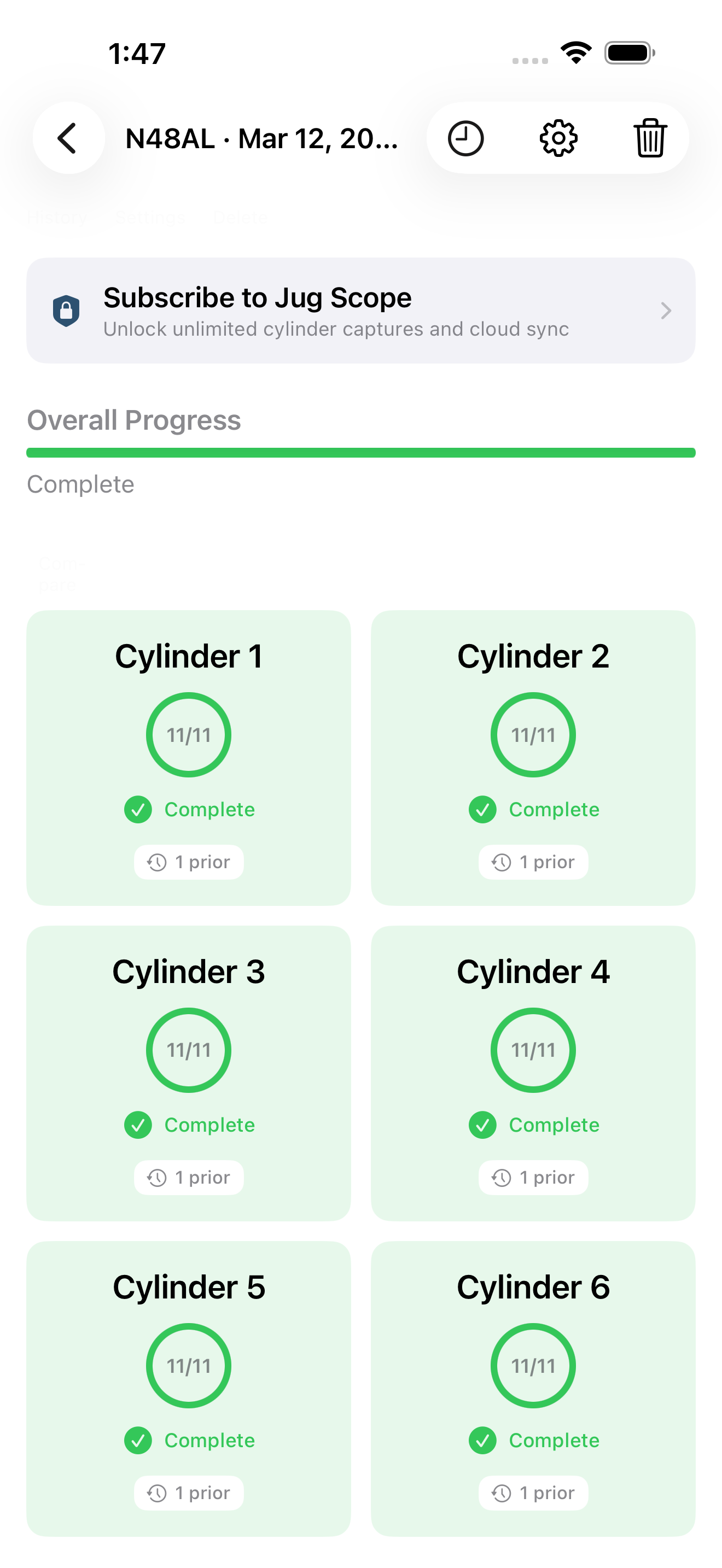
This is the heart of it. Jug Scope guides you through the same eleven views on every cylinder, in the same order, so you come away with a complete set and never wonder whether you missed an angle. The full walkthrough is §4, The Inspection Workflow.
The first time through, take it slow and trust the app to keep your place:
- From Home, tap Start New Inspection and set up the record — your aircraft, the date, and your Hobbs and Tach hours. Logging engine time is optional, but for an owner it is the single most valuable thing you can do (more on why in §7.4).
- Work each cylinder through its eleven views, following the on-screen guidance. The app keeps you in order and shows your progress.
- Review each shot as you take it — accept the good ones, retake the blurry ones — while the probe is still in place.
During beta: You can run a full inspection and review every image without a subscription. At launch, capturing images stays free; reviewing, exporting, and sharing require a subscription. See §9, Billing & Plans.
For owners — Do not rush the valve views. A half-open valve is the most common reason a set comes back marked inadequate — a few extra degrees of prop rotation here saves you a whole redo. The per-view detail is in §4.3.
7.4 Compare your engine over time
This is the feature that pays you back for every inspection you log. A single inspection tells you how the engine looks today. Two or three, captured the same way over the years, tell you what is changing — and change, caught early, is the whole game. Jug Scope lines up the same view across inspections so you can see a valve or a cylinder wall side by side, this year against last.
That is why the Hobbs and Tach hours matter: with engine time recorded on each set, a comparison becomes a real trend you can watch. The full comparison tools are in §5, Reviewing & Comparing.
For owners — The first inspection is a baseline. Its real value shows up at the second one, when you can finally see what a year did to your cylinders. Log every inspection, log the hours, and you build something no single look can give you: a history.
7.5 Get a second opinion
When you want another set of eyes — your A&P's, or an engine analyst's — your finished inspection is ready to send as-is. No exporting, no zipping, no explaining what the photos are. You share the complete, labeled set and the recipient sees exactly what you saw.
- Send it to your shop. Share the inspection to the maintenance shop you work with, so they can review it before you ever pull the cowling for them. See §6.1.
- Send it out for expert analysis. Submit the set for review by an engine analyst, who reads every cylinder and tells you how the engine is doing inside. See §6.5.
For owners — This is a second opinion without a second trip up the ladder. The set you already captured does the traveling — you stay on the ground.
7.6 Your plan
As an owner, your subscription is scoped to your aircraft. You pick the number of tails you own — anywhere from a single airplane up to a few, or Unlimited if you have a hangar full — and your plan covers inspections on those tails. If you add an airplane later, you move up to the next tier in place rather than starting a separate subscription.
Capturing an inspection is always free. A subscription is what unlocks reviewing, exporting, and sharing the set — and exporting or sharing a given inspection also takes a one-time per-inspection unlock. The full breakdown of plans, pricing, and the per-inspection unlock is in §9, Billing & Plans.
During beta: All of this is open — capture, review, export, and share work without a subscription, and no plan is enforced. The plan structure above describes how it works at launch.
For owners — Pick the plan that matches the airplanes you actually own. Adding a tail later is a simple upgrade, not a second bill — see §9.2.