
The inspection app your engine deserves.
Jug Scope guides you through Savvy Aviation's 11-view cylinder inspection protocol. Connect your borescope, follow the steps, and upload directly to Savvy for expert analysis.
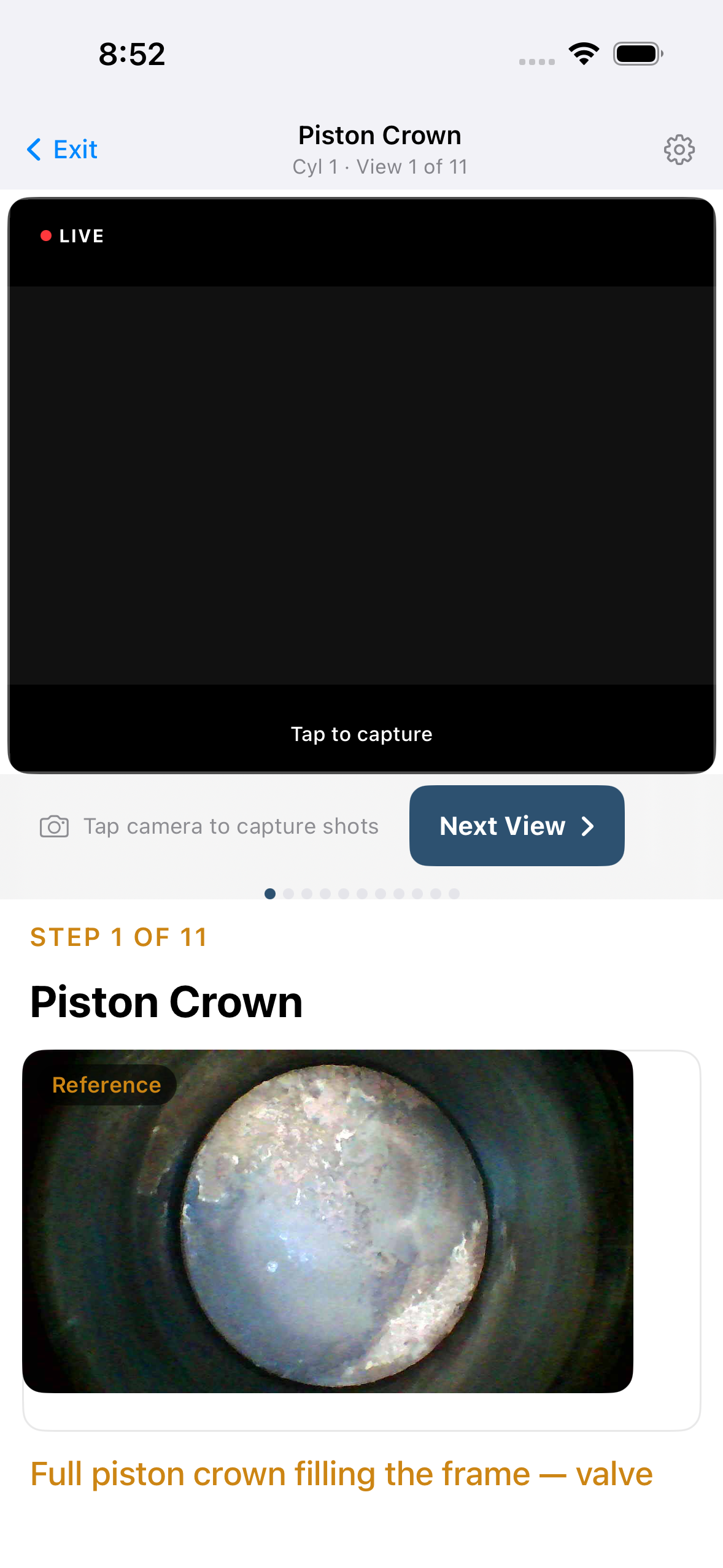
Borescope inspections shouldn't require four separate tools.
The current workflow is a chain of friction: capture with a generic camera app that produces meaningless filenames, manually rename 66 images to match Savvy's convention, upload through a web browser, then submit a separate analysis request. Every handoff is a chance for error.
One app. One workflow. Zero renaming.
Guided Capture
Step-by-step prompts for all 11 views per cylinder. Reference images show exactly what each view should look like. You never have to guess what to capture next.
Automatic File Naming
Every image is named to Savvy Aviation's convention the instant you capture it. No manual renaming. Upload to Savvy and images auto-tag by cylinder and view.
Works in the Hangar
Fully offline. USB-C and WiFi borescope support. Large tap targets for greasy hands. Designed for where you actually do inspections.
Multi-Capture
Take as many shots as you need for each view. Review all your captures and keep the best ones. No artificial limits on image count.
Direct Savvy Upload
Upload your inspection images directly to Savvy Aviation from the app. Progress tracking for every image. No ZIP files, no browser uploads.
EXIF Metadata
Every captured image includes embedded EXIF metadata: timestamp, device info, and GPS coordinates when available. Full provenance for every image.
Three steps. Every cylinder.
Connect
Plug in your USB-C borescope or connect via WiFi. The app auto-detects your hardware from pre-configured borescope profiles for Vividia, Teslong, and other models.
Capture
Follow the guided workflow. The app tells you which cylinder, which view, and which crankshaft position. A reference image shows exactly what you're looking for.
Upload
Tap Upload. The app sends all images to Savvy Aviation with the correct metadata. No manual renaming, no ZIP files, no browser uploads. One tap and you're done.
Works with your borescope.
Jug Scope supports WiFi and USB-C borescopes from major manufacturers. Pre-configured profiles for the most common models in general aviation.
| Borescope | Connection | Status | Notes |
|---|---|---|---|
| Vividia W03 / AirBox | WiFi | Recommended | Good image quality, reliable WiFi |
| Depstech WF028 | WiFi | Supported | Compatible but lacks articulation — not recommended for aviation |
| Teslong TD500 | WiFi | Supported | Excellent color reproduction |
| Any USB-C UVC camera | USB-C | Automatic | Plug and play, iPad only |
iPhone supports WiFi borescopes only. USB-C borescopes require iPad (iPadOS 17+).
Compatible with Savvy Aviation's Borescope Initiative
Jug Scope follows Savvy Aviation's standardized 11-view inspection protocol and file naming convention. Capture your images in the app, upload directly to Savvy for professional analysis.
borescope images uploaded to Savvy Aviation. Zero apps built for capturing them — until now.
Join the beta. It's free.
Jug Scope is in active development and free during the beta period. Apply for access and start inspecting smarter.
Requires iPad with USB-C or iPhone. iPadOS/iOS 17 or later.